iPhone / iPad
- Open https://play.waywardsun.app in Safari.
- Tap the Share button.
- Choose Add to Home Screen.
- Tap Add.
Launch Wayward Sun from the new Home Screen icon afterward.
Wayward Sun is intentionally deep. You do not need to learn everything at once. Start by learning where things live in the command console, then use the example day below as a loose path—not a quest chain.
Wayward Sun is a Progressive Web App, so you do not need an App Store download. Add it to your Home Screen and it will launch in its own app window.
Launch Wayward Sun from the new Home Screen icon afterward.
The exact wording can vary slightly by Android or Chrome version.
The five primary tabs are the backbone of the game. Tap them in the training console below. This is a static mockup of the real desktop command console—not a simplified diagram—so the navigation, activity header, central workspace, right-side ship readout, cards, tabs, and status bars match what you will actually learn in play.

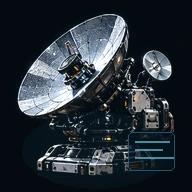
Wayward Sun keeps decision surfaces compact. When you want to understand why a stat changed, what a location is known for, where a resource comes from, or what an item is compatible with, use its information view. You are not expected to memorize the simulation.
The same information language follows you through locations, equipment, resources, activities, schematics, and station services.
This is one sensible way to spend your first day. Treat it as orientation, not a checklist. The point is to understand the loop and begin choosing the kind of Captain you want to become.
Open Captain and Ship. Look at your starting Crew, fittings, cargo capacity, and the stats your current build produces. Do not optimize yet—just learn what is aboard.
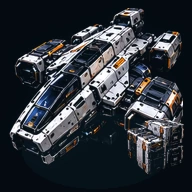
Use Navigation to travel toward Tycho Field. Mine, survey, or try another available activity. Watch cargo and activity progress so you understand how ship work continues over time.
Lunar debris and mineral belt
Return to a station. Sell to an order, refine useful material, inspect an upgrade, or hold the cargo for later. This is where the economy begins to connect to your ship build.
Start a longer mining, salvage, science, survey, travel, production, or Captain-development action. Extended holds and longer jobs are choices, not requirements.
Your progress report and notifications show what completed while you were gone. Crew and Captain development, cargo, discoveries, jobs, and ship state should tell a coherent story of the time away.
You may want to mine harder, recover wrecks, study anomalies, explore, trade, manufacture, fight, or build toward a specialist hull. Wayward Sun is designed around overlapping careers rather than one correct route.
Wayward Sun is not built around one gear-score number. What you can do is the result of several layers working together. A strong hull with the wrong fittings can be mediocre. Excellent components can be held back by power, cooling, Crew, condition, or an inexperienced Captain. The interesting choices live in those relationships.
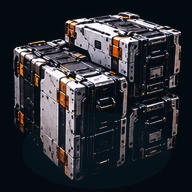
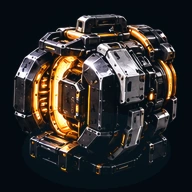
Travel speed, mining throughput, salvage, science, exploration, combat, repair, endurance, cargo strategy, and environmental access are derived from the whole build—not one item.
During beta, Discord is the main place for beta access, announcements, known issues, questions, bug reports, balance feedback, and general discussion. New arrivals start in #welcome, where the server explains how access and beta keys work.